Windows 11 Migration: Enterprise Planning Guide for 2026
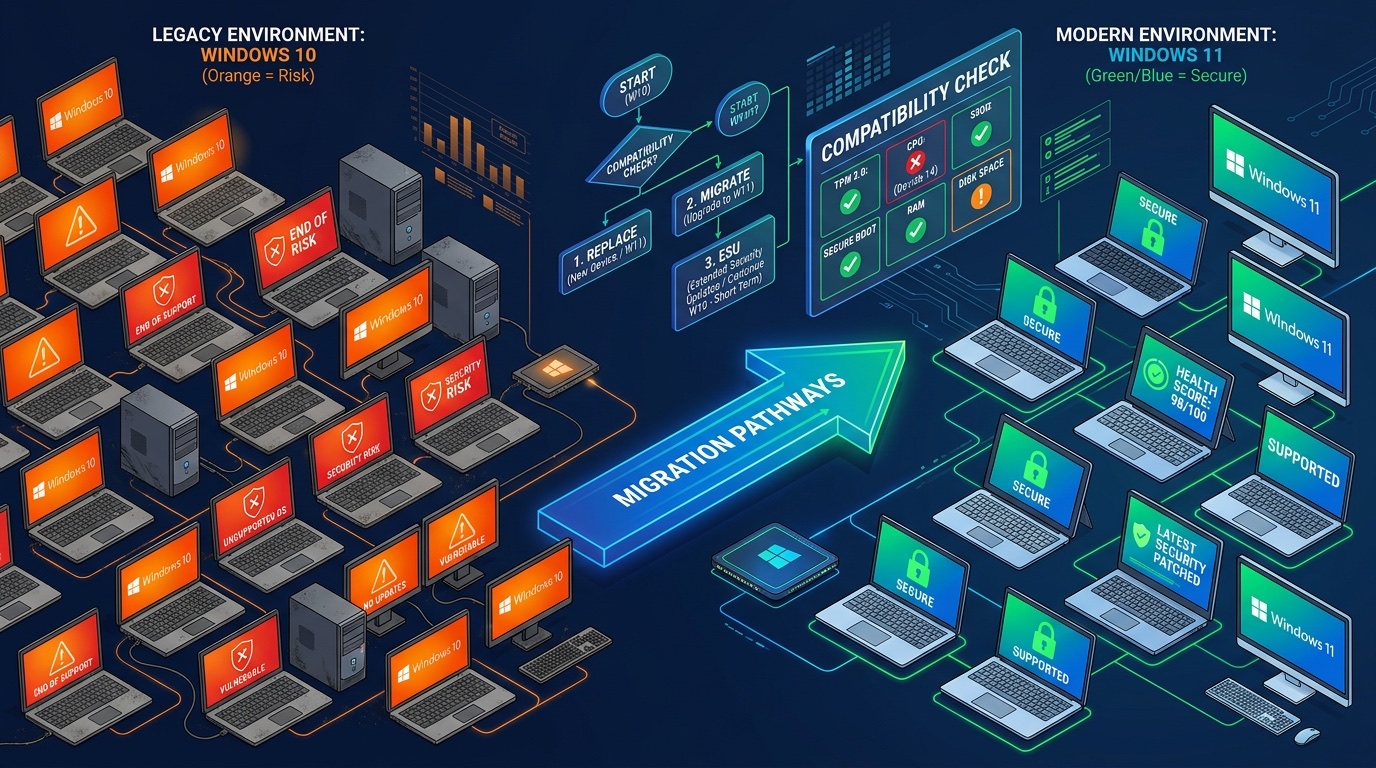
Windows 10 lost support on October 14, 2025 (Source: Microsoft). Five months later, 27% of desktops worldwide still run it — unpatched, unprotected, exposed to every vulnerability published since (StatCounter, February 2026).
The math is simple. Every month you delay the Windows 11 migration, you either pay Microsoft $61 to $244 per device per year (Source: Microsoft Learn) for Extended Security Updates, or you accept the risk of running an unpatched OS in production. Meanwhile, 240 million PCs worldwide cannot upgrade at all because they lack TPM 2.0 (Canalys, 2025).
This guide covers the full picture: what the Windows 10 end of life actually means in practice, how much ESUs really cost at fleet scale, which devices are compatible, a 5-step migration plan, and a data-driven framework to decide — per device — whether to migrate, extend with ESU, or replace.
TL;DR: Windows 10 lost support in October 2025. As of March 2026, 27% of desktops worldwide still run it — unpatched. ESUs cost $61/device in Year 1, $122 in Year 2, $244 in Year 3. Around 240 million PCs cannot upgrade due to TPM 2.0 requirements. This guide covers the 5-step plan to audit your fleet, identify compatible devices, and decide between migration, ESU, or replacement.
Citation capsule
- Around 240 million PCs worldwide cannot upgrade to Windows 11 because they lack TPM 2.0 (Source: Canalys, 2025).
- Extended Security Updates cost $61 per device in Year 1, doubling to $122 in Year 2 and $244 in Year 3 (Source: Microsoft, 2025).
- As of February 2026, 27% of desktops worldwide still run Windows 10 — unpatched since end of support (Source: StatCounter, 2026).
What does Windows 10 end of life actually mean?
Since October 14, 2025, Microsoft no longer delivers security updates, bug fixes, or technical support for Windows 10. Every device still running it is a device without patches — and therefore a potential attack vector.
The transition happened fast. In December 2025, Windows 10 and Windows 11 were roughly split 50/50 globally. By February 2026, Windows 11 had surged to 73% market share while Windows 10 dropped to 27%. That shift means millions of organizations moved quickly — but millions more did not.
What stopped working on October 14, 2025:
- Security patches. Every CVE published after that date remains unpatched on Windows 10. No exceptions.
- Bug fixes. Known issues stay unfixed. Microsoft will not release updates outside the ESU program.
- Technical support. Microsoft's support channels no longer cover Windows 10 outside of paid ESU contracts.
What still works: the PC boots, applications run, printers print. Nothing breaks overnight. That is precisely why so many organizations delayed their Windows 11 migration planning — the urgency is invisible until a breach occurs.
The Windows 11 migration is more complex than previous OS transitions (XP to 7, or 7 to 10). The TPM 2.0 hardware requirement means that upgrading the OS is not enough — the hardware itself must qualify. For the first time, a significant share of the installed base is physically blocked from upgrading.
According to StatCounter (February 2026), Windows 11 holds 73% of global desktop market share, up from roughly 38% a year earlier. The crossover happened in December 2025 — two months after the Windows 10 end of life. The remaining 27% represents hundreds of millions of unpatched devices.
How much do Windows 10 Extended Security Updates cost?
The price doubles every year: $61 per device in Year 1, $122 in Year 2, $244 in Year 3 (Microsoft, 2025). And the pricing is cumulative — if you buy in Year 2, you pay for Year 1 and Year 2 together.
Here is the ESU structure for enterprise customers:
- Year 1 (November 2025 - October 2026): $61/device
- Year 2 (November 2026 - October 2027): $122/device
- Year 3 (November 2027 - October 2028): $244/device
- Intune/Autopatch discount: $45/device in Year 1
- Consumer ESU: $30/PC for individuals (Year 1 only, non-renewable)
The math scales fast. For a fleet of 500 devices running Windows 10, ESU costs reach $30,500 in Year 1, $61,000 in Year 2, and $122,000 in Year 3 — a cumulative $213,500 over three years, or $427 per device for zero new functionality.
Compare that to a new Windows 11 device at $800-1,200. Three years of ESU ($427/device) covers a third to half the cost of replacement — and delivers no new features, no performance gains, no security improvements beyond patch coverage.
There is an additional cost pressure in 2026: Microsoft 365 E3 licenses increased from $36 to $39/user/month (+8.3%). The total cost of keeping an aging Windows 10 fleet is climbing from multiple directions simultaneously.
Microsoft (2025) prices Extended Security Updates at $61/device in Year 1, doubling to $122 in Year 2 and $244 in Year 3. For a 500-device fleet, that is $213,500 over three years — $427 per device for patch-only coverage with no new functionality.
Which devices are compatible with Windows 11?
Windows 11 requires a TPM 2.0 module, an Intel 8th-gen or AMD Zen 2+ processor, 4 GB of RAM, and 64 GB of storage (Source: Microsoft Learn). Approximately 240 million PCs worldwide do not meet these requirements — about 20% of the global installed base (Canalys, 2025).
Here are the full prerequisites:
| Requirement | Minimum | Notes |
|---|---|---|
| TPM | 2.0 | Must be enabled in BIOS/UEFI |
| CPU | Intel 8th gen+ / AMD Zen 2+ | Pre-2018 Intel and Zen 1 are blocked |
| RAM | 4 GB | Rarely the bottleneck in enterprise |
| Storage | 64 GB | Rarely the bottleneck in enterprise |
| Firmware | UEFI with Secure Boot | Legacy BIOS not supported |
The TPM 2.0 is a hardware security chip that enables BitLocker encryption, Windows Hello authentication, and secure boot validation. Microsoft made it mandatory for a reason — it is the foundation of the Windows 11 security model.
The real incompatibility rate is lower than you think
Here is where it gets interesting. Many PCs have a TPM 2.0 chip present but disabled in BIOS. Microsoft confirms that most PCs manufactured in the last five years support TPM 2.0 — it just needs to be switched on.
During a fleet audit of 3,000 endpoints, we found that 40% of devices were flagged as "Windows 11 incompatible." After checking BIOS settings, the actual incompatibility rate was 23%. The TPM 2.0 module was present but disabled on 17% of the fleet. Without that field data, the IT director would have ordered 500 new devices unnecessarily.
How to check compatibility:
- Manual: Run
tpm.mscon any Windows device to verify TPM status. - Microsoft tool: PC Health Check provides a quick pass/fail assessment.
- Automated scan: An automated IT asset inventory detects TPM 2.0 presence, CPU model, and device health across every endpoint in one sweep.
The truly incompatible devices are primarily Intel 7th-gen and earlier, or AMD Zen 1 — machines from 2017 and before. For these, the decision is between ESU (temporary) or replacement. Battery health becomes an additional decision factor for older laptops.
Canalys (2025) estimates 240 million PCs worldwide cannot meet Windows 11 hardware requirements, primarily TPM 2.0 and CPU restrictions. However, field audits consistently reveal that many flagged devices have TPM 2.0 present but disabled in BIOS — reducing the true incompatibility rate significantly.
How do you plan a Windows 11 migration for your fleet?
Five steps: audit, categorize, prioritize, deploy in waves, validate. The full cycle takes 3 to 6 months for a 500-device fleet. Gartner estimates that the bulk of enterprise migrations arrives 18 to 24 months after end of support (Gartner, 2024). We are five months in — there is time, but less than most IT leaders assume.
Gartner (2024) observes that enterprise OS migrations typically peak 18 to 24 months after end of support. For Windows 10, that places the migration wave between April and October 2027. Organizations that structure their Windows 11 migration now gain a head start over the rush.
Here is the 5-step Windows 11 migration plan:
Step 1: Audit the fleet. Scan every device for OS version, TPM 2.0 status (active, disabled, absent), CPU model, and health indicators (battery capacity, storage condition, RAM). The goal is a complete, per-device compatibility picture. An endpoint agent automates this — no spreadsheet, no manual check.
Step 2: Categorize into three buckets.
- Bucket A — Compatible with Windows 11: TPM active, CPU qualified. Ready for direct migration.
- Bucket B — TPM disabled but present: requires BIOS activation, then migration. Low effort, high return.
- Bucket C — Incompatible: no TPM 2.0, CPU too old. Candidates for ESU or replacement.
Step 3: Prioritize by risk. Not all devices carry the same exposure. Migrate first: devices handling sensitive data, mobile endpoints (higher attack surface), and business-critical workstations (finance, HR, executive). General office machines can wait.
Step 4: Deploy in waves. Start with a pilot — 10 to 20 devices over 2 to 4 weeks. Validate line-of-business applications, drivers, and peripherals. Then expand by department: 50 to 100 devices per week using SCCM, Intune, or Autopilot for provisioning.
Step 5: Validate post-migration. Check application compatibility, driver behavior, and performance baselines. Collect structured user feedback during the first two weeks. Set up continuous monitoring to catch anomalies early.
Timeline for a 500-device fleet: 3 to 6 months from pilot to full deployment, assuming structured waves and no critical application blockers.
The sobrii endpoint agent detects OS version, TPM 2.0 presence, CPU model, and health score automatically. In one scan, an IT director gets the exact breakdown: X devices ready to migrate, Y devices needing TPM activation, Z devices requiring replacement. That inventory is the foundation of the entire Windows 11 migration strategy.
Device health determines whether a machine deserves migration or replacement — the lifespan data by brand and usage helps calibrate the decision.
Pre- and post-migration maintenance extends the useful life of migrated devices and prevents avoidable support tickets.
Migrate, extend with ESU, or replace? The decision framework
Not every device gets the same outcome. A three-path framework — an extension of the Keep/Repair/Reallocate/Replace model — decides the right action for each machine by crossing four data axes.
Path 1: Migrate (compatible + healthy)
- Windows 11 compatible (TPM active, CPU qualified)
- Good health: battery above 70%, SSD healthy, sufficient RAM
- Cost: near zero (license is free with a valid Windows 10 license)
- Action: deploy Windows 11 via SCCM/Intune
Path 2: ESU as a bridge (incompatible but functional, replacement planned)
- Not compatible with Windows 11, but hardware is in good condition
- Replacement scheduled within 12 to 18 months (next budget cycle, AI PC timing)
- Cost: $61/device/year (Year 1) — justified only as a short-term bridge
- Action: purchase ESU, schedule replacement
Path 3: Replace (incompatible + end of life)
- Not compatible with Windows 11 AND in poor health (battery below 50%, storage degraded, over 5 years old)
- Or: incompatible AND business-critical (no acceptable risk exposure)
- Cost: $1,200-$1,800 per device all-in (hardware + software + deployment labor)
- Action: priority replacement, provisioning via Autopilot
The classic mistake: replacing everything at once (budget explosion) or keeping everything on ESU (cumulative cost). The framework avoids both traps by making a per-device decision grounded in four axes: compatibility, health, criticality, and budget timing.
This framework crosses four data axes that only an automated inventory can supply in real time. Without field data, the decision is guesswork — and guesswork tends to over-order new hardware.
sobrii detects Windows 11 compatibility and device health in one scanFull hardware refresh costs $1,200 to $1,800 per device all-in (TechTarget/industry benchmark, 2025). Compared to $427 in cumulative ESU costs over three years, ESUs only make financial sense as a 12-18 month bridge when replacement is already planned and budgeted.
Should you wait for AI PCs before refreshing?
No — not for vulnerable or business-critical devices. Security exposure does not pause for a hardware cycle. 55% of PCs shipped in 2026 are AI PCs with an integrated NPU (Counterpoint Research, 2026), and Microsoft calls 2026 "the moment." But immature enterprise use cases and a 3.3% Copilot conversion rate mean the value proposition is not there yet for most fleets.
Counterpoint Research (2026) forecasts that 55% of PCs shipped in 2026 will include an NPU, up from 42.5% in Q3 2025. Despite this growth, only 3.3% of Copilot users have converted to paid subscriptions — enterprise AI use cases on-device remain immature.
What AI PCs bring: a dedicated NPU for on-device AI inference, Copilot+ experiences in Windows 11, and improved battery efficiency. On paper, the proposition is compelling.
The enterprise reality in 2026 is more nuanced. Only 3.3% of Microsoft 365 users have converted to paid Copilot subscriptions. The enterprise use cases for NPUs remain limited — local AI inference is promising but not yet a productivity driver at scale. 42% of US enterprises are piloting ARM-based fleets (Qualcomm Snapdragon X) per Gartner (2025), but these are pilots, not mass deployments. Gartner forecasts 35% ARM composition in enterprise fleets by 2027.
The pragmatic answer:
- Critical or vulnerable devices: replace now, regardless of the AI PC cycle. Security trumps features.
- Non-urgent replacements: schedule for H2 2026 or H1 2027, when the AI PC ecosystem (applications, drivers, management tools) will be more mature.
- Never keep an unpatched device running "while waiting for AI PCs." That is a security decision dressed up as a procurement strategy.
The AI PC section in our lifespan analysis explores the NPU value proposition in more depth.
FAQ
Does Windows 10 still work after end of support?
Yes. The PC boots normally, applications run, and peripherals function. What stopped: security updates, bug fixes, and Microsoft technical support. The device remains usable but becomes vulnerable to every CVE published after October 14, 2025. Each unpatched vulnerability is an open door — the risk compounds with every month.
How much does migrating to Windows 11 cost?
The license is free for devices with a valid Windows 10 license. The real cost is deployment time (SCCM/Intune configuration, application testing) and validation of line-of-business applications. For incompatible devices, hardware replacement runs $1,200-$1,800 per device all-in, including hardware, software licensing, and deployment labor.
My PC is incompatible with Windows 11 — what should I do?
Three options. First, check whether the TPM 2.0 is present but disabled in BIOS — this is the case on many machines flagged as "incompatible," and activating it is a five-minute fix. Second, purchase ESU at $61/device/year as a temporary bridge while planning replacement. Third, replace the device outright. An automated fleet audit determines which option applies to each device.
Are Windows 10 ESUs worth it?
Only as a 12-18 month bridge. The price doubles annually: $61, then $122, then $244 per device. Cumulative cost over three years: $427 per device for zero new functionality. ESUs are justified when replacement is already planned and budgeted within the year. Beyond that window, investing in new hardware delivers better long-term value.
How long does it take to migrate a fleet of 500 devices?
3 to 6 months with a structured approach. Weeks 1-4: audit and pilot on 10-20 devices to validate application compatibility. Then deployment in waves of 50-100 devices per week. The prerequisite: an automated inventory that categorizes every device (ready to migrate, TPM to activate, replacement needed) before the first deployment wave begins.
What to do next
The key takeaways:
- Windows 10 end of life is an active exposure, not a theoretical risk. Every month without patches widens the attack surface.
- ESUs are a bridge, not a strategy. $427 per device over three years for the same unpatched OS with no new features.
- 240 million PCs are flagged as incompatible — but the real rate is lower. Many devices have TPM 2.0 disabled in BIOS, not absent.
- The Migrate/ESU/Replace framework turns a binary decision into a per-device, data-driven choice across four axes.
- 5 steps: Audit, Categorize, Prioritize, Deploy, Validate. 3 to 6 months for a 500-device fleet.
- AI PCs are not a reason to delay security. Replace critical devices now; schedule non-urgent refreshes for late 2026.
The Windows 11 migration starts with one question: what do you actually have? An automated scan reveals the exact breakdown — how many devices can migrate, how many need TPM activation, how many need replacement. Everything else follows from that data.
Scan your fleet — sobrii detects Windows 11 compatibility, TPM status, and device health in one sweep Request a fleet auditSources
- ADEME — Digital and environment impact update, 2025. https://www.ademe.fr/presse/communique-national/numerique-environnement-entre-opportunites-et-necessaire-sobriete/ (accessed 2026-05-05)
- Arcep — Environmental footprint of digital technology. https://www.arcep.fr/la-regulation/grands-dossiers-thematiques-transverses/lempreinte-environnementale-du-numerique.html (accessed 2026-05-05)
- European Commission — Corporate sustainability reporting. https://finance.ec.europa.eu/capital-markets-union-and-financial-markets/company-reporting-and-auditing/company-reporting/corporate-sustainability-reporting_en (accessed 2026-05-05)
- Legifrance — Law no. 2021-1485 reducing the environmental footprint of digital technology. https://www.legifrance.gouv.fr/jorf/id/JORFTEXT000044327272 (accessed 2026-05-05)
- Microsoft — Windows 11 requirements. https://learn.microsoft.com/en-us/windows/whats-new/windows-11-requirements (accessed 2026-05-05)
Manage your IT fleet with sobrii
Discover how sobrii transforms IT fleet management.
Book a demo