ITAM
What is GLPI? Definition + 2026 Use Cases
GLPI explained for IT admins: definition, versions 11.0 vs 10.0, governance, real pricing, and when to migrate to modern SaaS alternatives.
16 min read
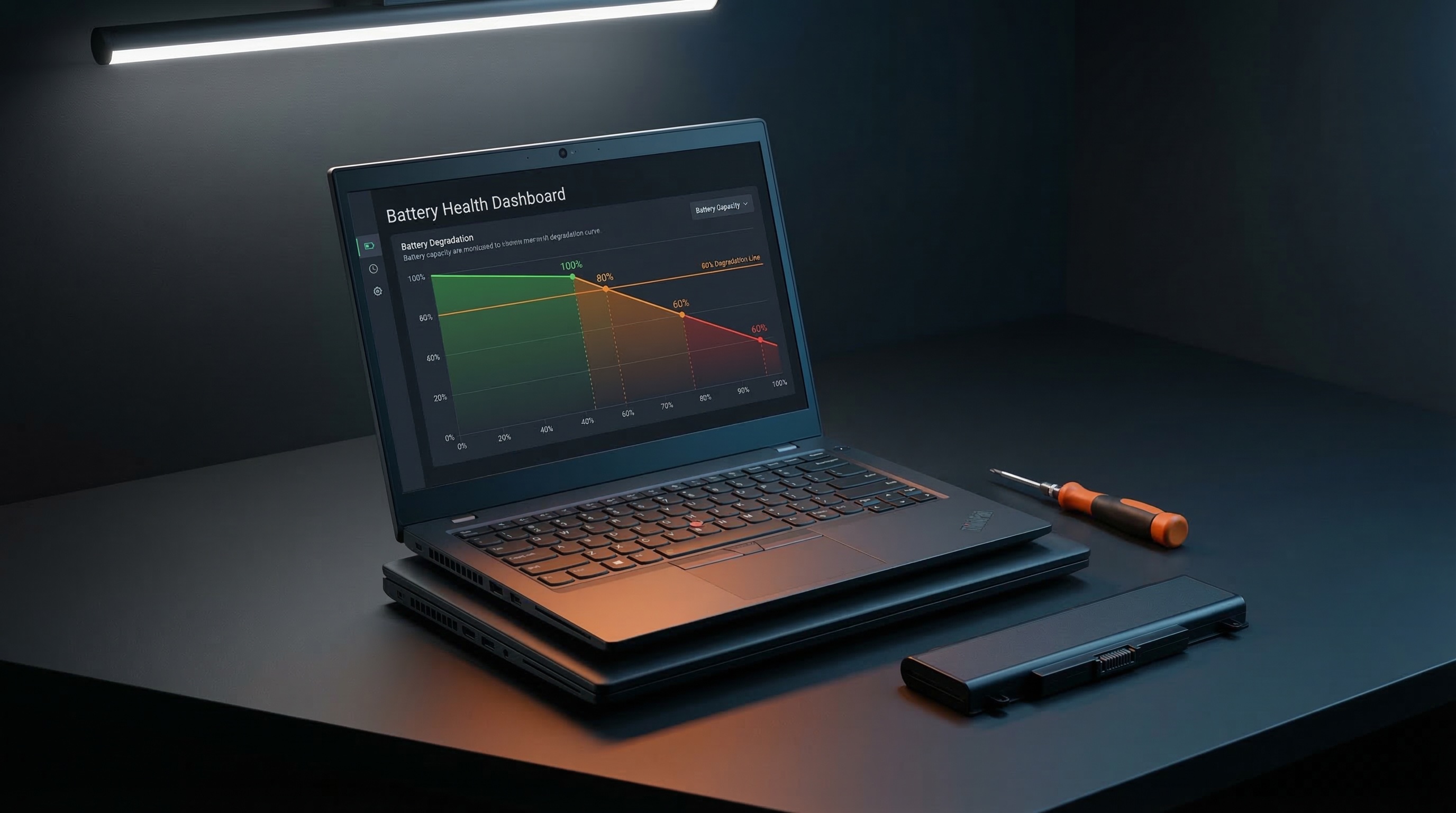
300 to 1,000 charge cycles. That's the lifespan of every lithium-ion laptop battery. After that — a slow, invisible decline.
On a single laptop, it's an inconvenience. Runtime shrinks, the user stays plugged in, nobody thinks twice. Across a fleet of 500 devices, it's a budget blind spot. Batteries dying without warning, emergency replacements, users tethered to their docks.
This article lays out the real numbers on battery degradation. How to check laptop battery health — on one device or five hundred. And the question that actually matters: when does the math say replace the battery, reallocate the device, or order a new one?
TL;DR: A laptop battery lasts 300 to 1,000 cycles (2 to 5 years). Heat and permanent charging at 100% are the top killers. Battery replacement: €80–150. New device: €800–1,500. The real lever: tracking the degradation curve over time to anticipate replacements 3 to 6 months ahead.
Citation capsule
Between 300 and 1,000 full charge cycles before capacity drops below 80% of the original — roughly 2 to 5 years of typical use (Battery University, 2025). A UK ErP Policy study places the median at 4.5–5.5 years for a business laptop (MDPI Energies, 2025).
What exactly counts as a cycle? It's not a single charge. It's a cumulative 100% discharge. Use 50% today and 50% tomorrow — that's one cycle, not two. The distinction matters: someone who tops up at 80% accumulates cycles far more slowly than someone who drains to 5% every evening.
OEMs don't all play by the same rules. Apple targets 80% remaining capacity after 1,000 cycles and enables a charge limiter by default on macOS. Lenovo offers Conservation Mode capped at 60% in Vantage. Dell provides custom thresholds through Dell Power Manager. HP ships a Battery Health Manager deployable via GPO.
But here's the fleet reality: take 200 ThinkPads purchased the same month — after 3 years, battery health ranges from 50% to 90%, because the developer who alternates between dock and meeting rooms doesn't wear the same battery path as the field sales rep who drains to zero every evening on the train home, or the executive whose laptop sits closed on a dock for weeks at a time running nothing but Outlook and Teams. Calendar-based replacement ignores this spread entirely.
Average laptop lifespan by brand — the full breakdownA lithium-ion laptop battery lasts 300 to 1,000 full cycles before dropping below 80% capacity — 2 to 5 years depending on usage. Calendar-based replacement treats every device the same. The data shows they don't degrade at the same rate.
Heat is the number-one killer. Battery University (2024) documents that Li-ion cells stored at 40°C lose 20% capacity in one year — even without use. Add permanent charging at 100%, and you've got the toxic combo that destroys fleet batteries in 18–24 months instead of 4 years.
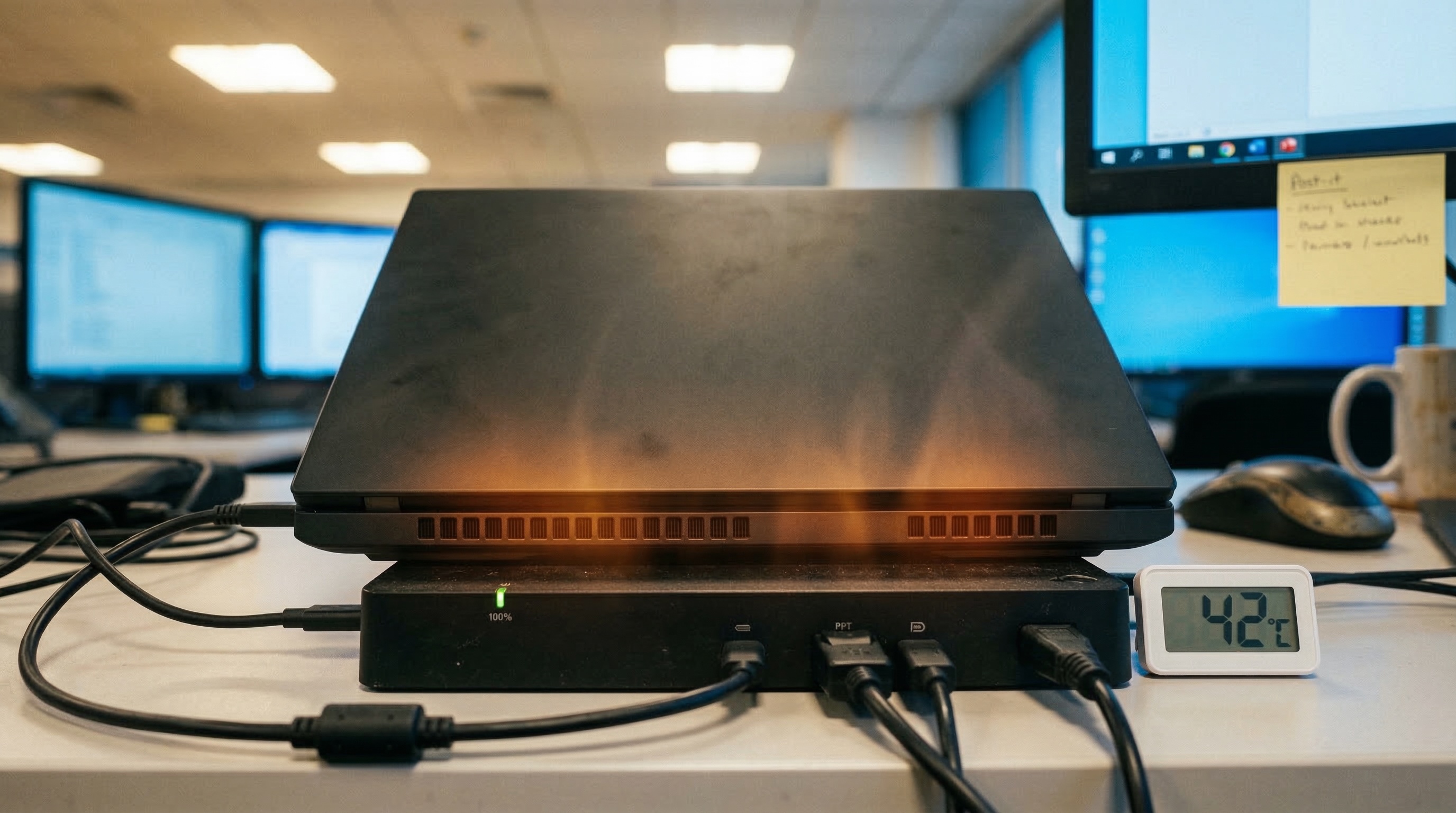
Three factors accelerate degradation:
1. Heat. Docked laptops run warm all day. Restricted airflow, dock blocking ventilation, CPU pushing hard for external displays. The battery cooks in silence.
2. Depth of discharge. A 0–100% cycle wears the battery three times faster than a 20–80% cycle. It's chemistry: charge extremes stress the anode and cathode disproportionately. Staying in the 20–80% range extends cycle life by 40% (Battery Analytics, 2024).
3. Trickle charging. A laptop plugged in permanently at 100% maintains maximum voltage. The micro-cycles between 99% and 100% degrade the electrolyte. Slowly. But surely.
Here's the fleet paradox. 60–70% of enterprise laptops stay docked all day. The result? Worst battery health in the fleet. Not because they're the most used. Because they're constantly warm and charged to the brim.
Li-ion cells at 40°C lose 20% capacity in one year, even unused (Battery University, 2024). Charging between 20% and 80% instead of 0–100% extends battery life by 40%. Across a fleet, deploying a charge limiter is the single most cost-effective action you can take.
Every operating system includes built-in battery health reporting (Microsoft, Apple, 2025). On a single device, it takes 30 seconds. The challenge starts when you need to do it at scale.
Windows: Open an admin terminal and run powercfg /batteryreport. The HTML report shows Design Capacity, Full Charge Capacity, and cycle count. The ratio between the two gives your wear level.
macOS: Apple Menu > About This Mac > System Report > Power. You'll find the cycle count and battery condition (Normal, Service Recommended).
Linux: Run upower -i /org/freedesktop/UPower/devices/battery_BAT0 to see energy capacity and the percentage of design capacity remaining.
Key metrics to watch: Design Capacity, Full Charge Capacity, Wear Level (%), Cycle Count. Wear above 20% means yellow zone. Above 40% means orange.
powercfg doesn't scale. It generates one HTML file per device. For a fleet, you need WMI queries via SCCM or Intune, automated PowerShell scripts, or dedicated agents.
The real challenge isn't single-device diagnosis. It's scale — and time. A snapshot tells you where you are. A trend line tells you where you're heading. Three to six months of advance warning, versus flying blind. Which one do you want to bet your budget on?
Across fleets monitored by sobrii, automated battery health collection reveals 30 to 40-point spreads between devices of the same model and same age. Without longitudinal tracking, these gaps stay invisible — and replacements happen blind.
sobrii collects battery health from every endpoint and tracks its evolution month over monthA battery health snapshot shows fleet status at a single point in time. But it's the degradation curve over time that reveals at-risk devices 3 to 6 months before failure. Single-device diagnosis is solved. Longitudinal tracking at fleet scale? Far from it.
Battery failure is rarely sudden. Five indicators from Dell Support and real fleet data:
1. Capacity below 60%. The battery reads 100% but lasts one hour. The remaining design capacity is the number that matters — not the percentage on screen.
2. Unexpected shutdowns. The laptop dies at 20–30% reported charge. The battery controller can no longer calibrate the gauge properly. The electronics are lying about the real state.
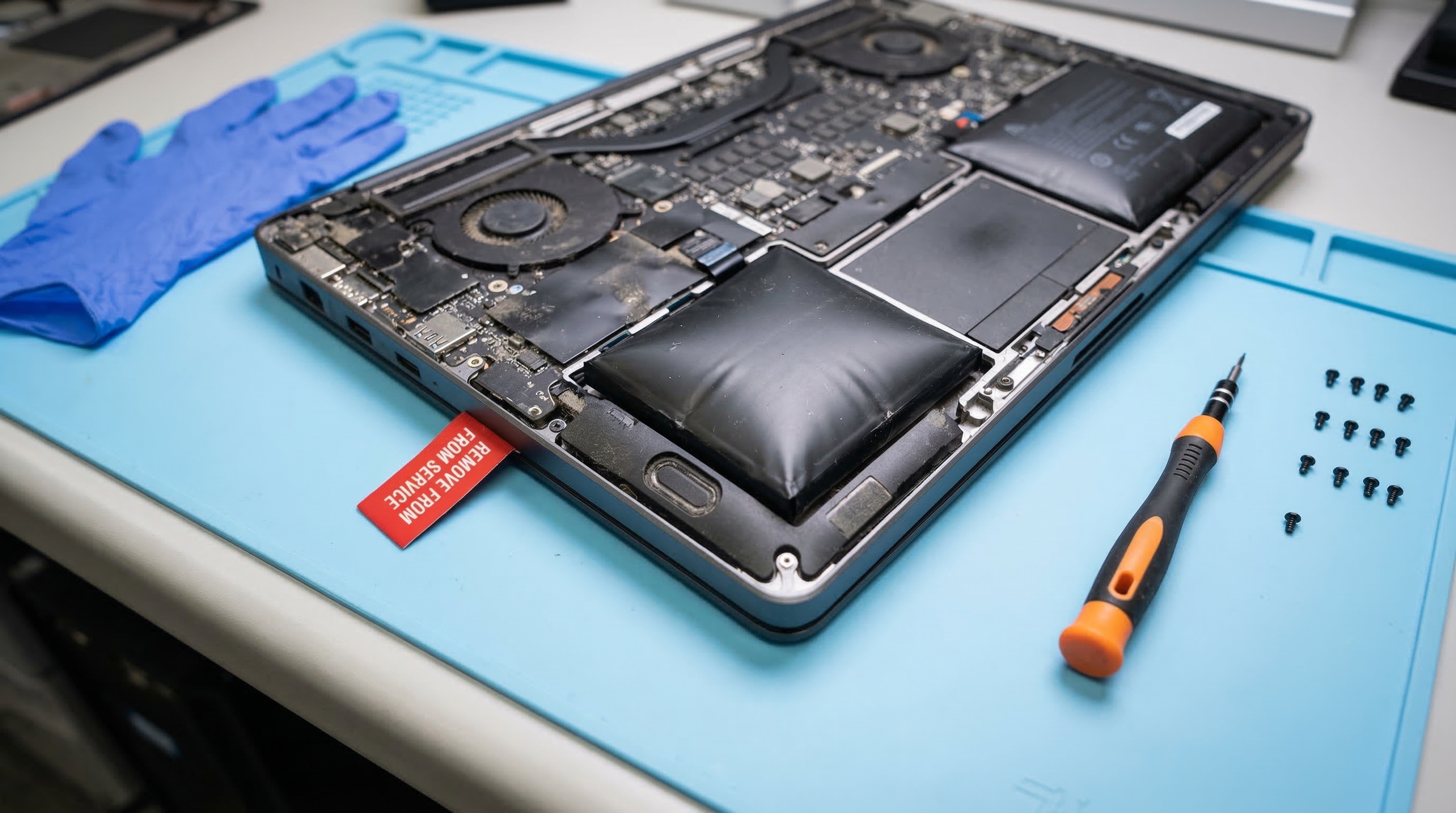
3. Swollen battery. The trackpad doesn't click right. The chassis warps. This is a physical sign of chemical degradation — and a fire risk.
4. Laptop only works plugged in. The battery can't hold a charge anymore. The user is effectively on a desktop — without choosing to be.
5. Erratic charge percentage. The gauge jumps from 80% to 40% in minutes, or climbs without being plugged in. The BMS (Battery Management System) can no longer compensate for degradation.
On a single laptop, you'll notice these symptoms. Across a fleet, you need data to surface them before the user complains — starting with an IT asset inventory that collects battery health continuously.
According to Dell Support (2025), a battery below 60% design capacity should be flagged for replacement. At fleet scale, tracking the degradation curve over time surfaces this threshold 3 to 6 months before the user ever notices — turning emergency replacements into planned maintenance.
This is where the degradation curve changes everything. Sign #1 — capacity below 60% — doesn't come out of nowhere. It's a gradual decline. Visible 3 to 6 months ahead if you track the evolution. With continuous monitoring, replacement shifts from emergency to planned maintenance. Budget allocated. Bulk order placed. Zero disruption for the user.
Battery replacement runs €80–150 on most business laptops (Dell, Lenovo, 2025). A new device costs €800–1,500. The math seems obvious — but it's not always that simple.
Replace the battery when: the device is under 4 years old, other components are healthy (SSD, RAM, screen), and the user profile hasn't changed. Cost: €80–150. Gain: 2–3 extra years of life.
Replace the device when: it's over 5 years old, multiple components are failing, or the hardware is incompatible with Windows 11 (TPM 2.0 (Source: Microsoft Learn)). The cost of keeping it exceeds the annualized cost of replacement.
The fleet multiplier is what makes this decision strategic. 100 batteries at €100 = €10,000 for 2–3 extra years. The alternative: 100 new devices at €1,000 = €100,000. The ROI on a targeted battery replacement program hits 10:1.
| Option | When it wins | Cost per unit | Cost × 100 devices | Extra life gained |
|---|---|---|---|---|
| Replace the battery | Device < 4 years, SSD/RAM/screen healthy, same user profile | €80–150 | €10,000 | 2–3 years |
| Replace the device | Over 5 years, multiple failing components, or not Windows 11-capable (no TPM 2.0) | €800–1,500 | €100,000 | Full refresh |
| Reallocate (desk-only role) | Permanently docked machine that rarely runs on battery | Reconfiguration time only | Near zero | 2–3 years on a lower-demand profile |
The hidden cost everyone forgets: productivity loss. A user chained to their desk because the battery won't last 30 minutes is a sales rep who skips client visits, a consultant who declines the on-site engagement, a field technician who can't run diagnostics away from a power outlet — and none of these costs show up on any spreadsheet, even though they compound across hundreds of devices every single quarter.
When to repair or replace — the K/R/R/R decision framework Calculate the real TCO of your fleetBattery replacement: €80–150. New device: €800–1,500. Across 100 devices, a targeted replacement program costs €10,000 instead of €100,000 in full refreshes. The ROI is 10:1 — provided you know which batteries to replace and when.
The 20–80% charge range extends cycle life by 40% (Battery University, 2024). It's the most powerful lever available, and it's free.
Deploy charge limiters fleet-wide. Lenovo Vantage enables Conservation Mode (capped at 60%). Dell Command Configure allows a custom threshold (recommended: 80%). HP Battery Health Manager deploys via GPO or Intune. One script, one deployment, 40% more cycles on every device.
Manage thermals. Docking stations generate heat. An elevated laptop stand improves airflow. Avoid docks on fabric surfaces. The enemy is a closed laptop sitting flat on a dock, fans suffocated.
Calibrate every 2–3 months. A full 0–100% cycle every 2–3 months recalibrates the BMS. It doesn't extend chemical life, but it keeps the gauge accurate. A miscalibrated BMS can mask a 50% battery behind a 75% reading.
Monitor with clear thresholds:
The irony: the worst batteries in any fleet are often the permanently docked machines — devices that don't even need a battery day-to-day. Before replacing their battery, ask yourself: should they be reallocated to desk-only roles instead? A desktop costs less and doesn't suffer battery wear.
Why spend €100 on a battery for a laptop that will never leave its dock?
Measure the kWh and CO2 impact of every deviceThe 20–80% charge range extends battery life by 40%. Deploying a charge limiter fleet-wide via GPO or Intune is free and immediate. Combined with continuous threshold monitoring, it's the foundation of a data-driven battery policy.
Fewer than 30% of organizations use analytical decisions for IT replacement (Gartner, 2024). The rest rely on calendars or user complaints. For batteries, that's especially expensive: every emergency replacement costs 2–3x more than a planned one (labour, downtime, expedited shipping).
Here's a four-tier policy you can implement immediately:
Green (80–100% capacity) — No action. Standard monitoring. The device is healthy.
Yellow (60–80%) — Watch list. Enable the charge limiter if it isn't already. Consider desk reallocation if the device stays docked most of the time. No battery replacement yet, but the device is under surveillance.
Orange (40–60%) — Schedule battery replacement for the next maintenance window. Cost: €80–150 per unit. Order in bulk to negotiate pricing and group interventions.
Red (< 40% or swollen) — Immediate action. No delays. Replace the battery or pull the device from service.
This is where predictive tracking transforms fleet management. sobrii traces the degradation curve of every battery continuously. When a device moves from Green to Yellow, the alert fires. When it approaches Orange, the replacement is already in next quarter's budget. Zero surprise, zero emergency.
The difference between reactive mode — where a user complains about a dead battery on Monday morning and IT scrambles to find a replacement by Wednesday, disrupting everyone's schedule and paying express shipping — and predictive mode, where the curve warned you three months ago and the battery was already ordered in last quarter's bulk purchase? Night and day. Predictable budget. Zero surprises.
Fewer than 30% of organizations use analytical decisions for IT replacement (Gartner, 2024). A four-tier battery policy — green, yellow, orange, red — eliminates panic replacements and turns an unpredictable expense into a planned budget line.
Request a sobrii fleet audit | Discover the platform
Between 300 and 1,000 full cycles, depending on the chemistry and manufacturer. Apple guarantees 80% capacity after 1,000 cycles. Most Windows laptop batteries hit that threshold between 300 and 500 cycles (Battery University, 2025).
Yes — if no charge limiter is active. Permanent 100% charging combined with dock heat degrades the battery 2–3x faster. Enable Conservation Mode (Lenovo) or set an 80% threshold (Dell, HP) to protect it.
Open an admin terminal and type powercfg /batteryreport. The HTML report shows Design Capacity, Full Charge Capacity, and cycle count. Divide Full Charge by Design Capacity — that ratio is your remaining health percentage.
Battery replacement: €80–150. New device: €800–1,500. If the device is under 4 years old and other components are healthy, battery replacement delivers a 10:1 ROI at fleet scale. Beyond 5 years or with multiple failures, full device replacement makes more sense. Calculate the real cost per device
Below 80%: active monitoring. Below 60%: schedule replacement. Below 40% or swollen: immediate action. Tracking the degradation curve lets you anticipate these thresholds 3 to 6 months in advance.
The numbers are in. Here's what matters:
Measure your fleet's battery health — and track its evolution over time.
Request a sobrii audit and shift from reactive to predictiveDiscover how sobrii transforms IT fleet management.
Book a demo